For most standard websites, Google may take a few days to a few weeks to reflect changes to the meta title or meta description in search results. For high-authority websites and sites that add content rapidly, such as news agencies, meta changes can appear within hours.
In practice, your meta title and description update can take 2 to 10 days, depending on your website authority, content refresh rate, and the addition of new pages to your website.
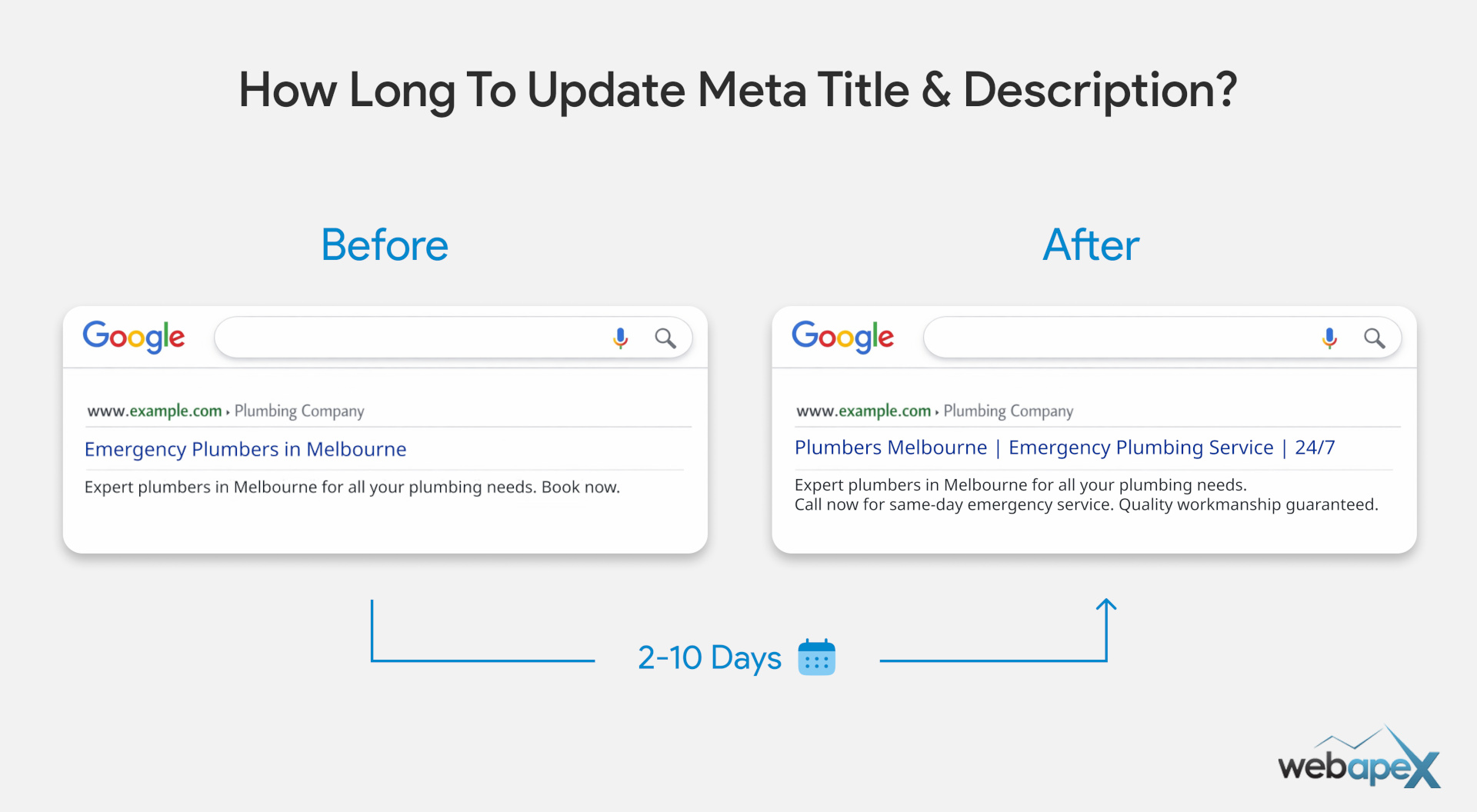
Google revisits pages on its own schedule, so there is no fixed timeline for every site.
Tip: Use the meta title and description length checker tool to craft the best title possible before updating the page to read the modified meta tags.
Factors that affect update speed
- How often the page is updated or refreshed.
- Website authority and trust signals.
- Page importance and internal linking strength.
- Crawl frequency for the site.
- Server speed and site health.
- Content quality and freshness (well-researched vs. general AI content).
- Whether the page is submitted or requested for reindexing in Google Search Console.
How to speed up meta tag update?
There are a number of steps that you can take to speed up the meta title and description re-indexing process.
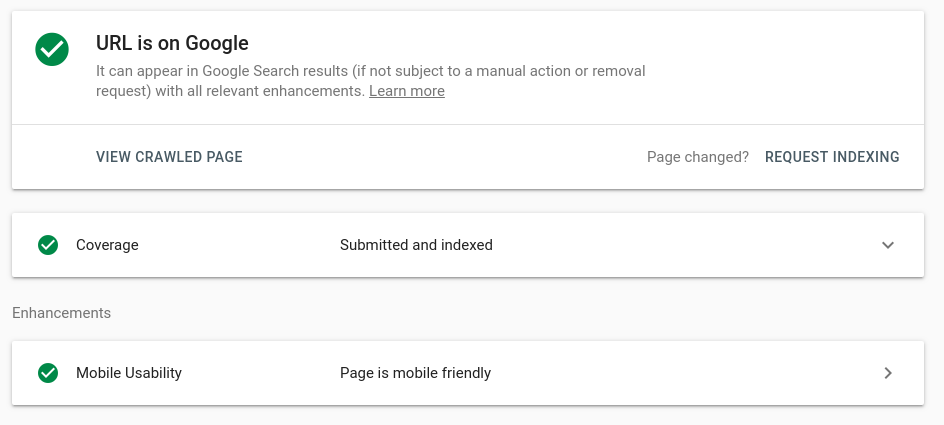
Step 1: Manually Requesting using the “URL Inspection” Tool
You can use the URL Inspection tool in Google Search Console to request and prioritise the re-indexing of your meta title and description.
There is no guarantee of either the time (how soon it will get re-indexed), but often it gets updated within a few hours for most websites.
Tip: For the best SEO benefits, build a system so that your pages get re-indexed in a timely manner naturally.
Step 2: Natural ways to boost meta tags re-indexing
Instead of relying only on manual requests (kind of forcing Google to re-index), it is better to make your website easier for search engines to re-crawl and trust.
When Google bots visit your site more often, they are more likely to notice changes and update them sooner.
Here are some ways you can improve the re-indexing process:
- Regular Posts & Updates: Keep the update frequency high in a tangible way, meaning quality improvements to existing pages and addition of new content.
- Focus on Quality: Do not upload or modify for the sake of updating; focus on quality so that the impact will be greater, and indexing bots should be forced to recognise the changes.
- Bulk Upload: Uploading bulk content with quality hints to bots to prioritise the website for regular visits and indexing.
- Avoid General / AI Content: You will struggle to make a mark if you just upload random general content. Focus on depth and originality, not just volume.
- Domain Authority: Improve your domain authority over time, since trusted websites have more power to get bots to visit the website regularly, with other signals mentioned above.
- Website Architecture: Work on improving your website architecture for easy navigation and discovery to speed up the re-indexing process.
- Internal Linking: Once your architecture is strong, create high-quality internal links to help search engines connect related pages, recognise changes, and re-index quickly.
- Sitemap: You should consider having an XML sitemap (with updated timestamps) and an HTML sitemap to make newly changed content easier to find.
- Last Modified Date on Page: Make sure to have the necessary metadata and schema markup to help bots detect and compare content changes efficiently.
- Website Speed: Make sure your website loads fast and is technically healthy.
- Broken Links & Technical Issues: Broken links and technical issues hinder the SEO effort, and they can also negatively impact the meta tag re-indexing rate.
- Social Posts: Share modified and new pages on social media for social signals, which can also indirectly impact re-indexing.
FAQs
Why isn’t my updated meta title showing right away?
Google needs to recrawl and reindex the page before it can show the new title or description, so changes are not instant.
Can Google rewrite my meta title or description after I update it?
Yes. Even after you make changes, Google may choose to display its own title or snippet if it thinks that version better matches the search query.
What affects how fast meta title and description changes appear?
Factors include crawl frequency, how often your site is updated, internal linking, sitemap priority, and overall website health.
Can I force Google to update my meta title and description faster?
You can’t force it, but you can request reindexing in Google Search Console and make sure the page is easy for Google to crawl.
Will changing the page title always change what appears in search results?
Not always. Search engines may still rewrite the title or description if they believe another version is more relevant.
Does a sitemap help Google pick up metadata changes faster?
Yes, an updated XML sitemap can help signal fresh content and support faster crawling and reindexing.
Why do some pages update faster than others?
Important, frequently updated, and well-linked pages are often crawled more often, so their metadata can update sooner.
What should I do if my meta title still hasn’t updated after 1-2 weeks?
Check that the page is indexable (No destination error), request reindexing, confirm the new title is saved correctly, and look for crawl or technical issues.

