Most businesses choose where to advertise based on their gut feeling, wherever they assume their customers already are.
A smaller number go data-driven instead. They check where competitors are already advertising, pull the insight, then apply their own experience and target with precision.
The data-driven approach wins because it replaces guesswork with real insights. You’re not hoping a channel works. You already know it’s likely to work, because it’s backed by your research.
In 2025, search and video absorbed 73% of Australia’s $18.4 billion online ad market on their own, showing that a handful of channels, not a dozen, carry most of the spend.
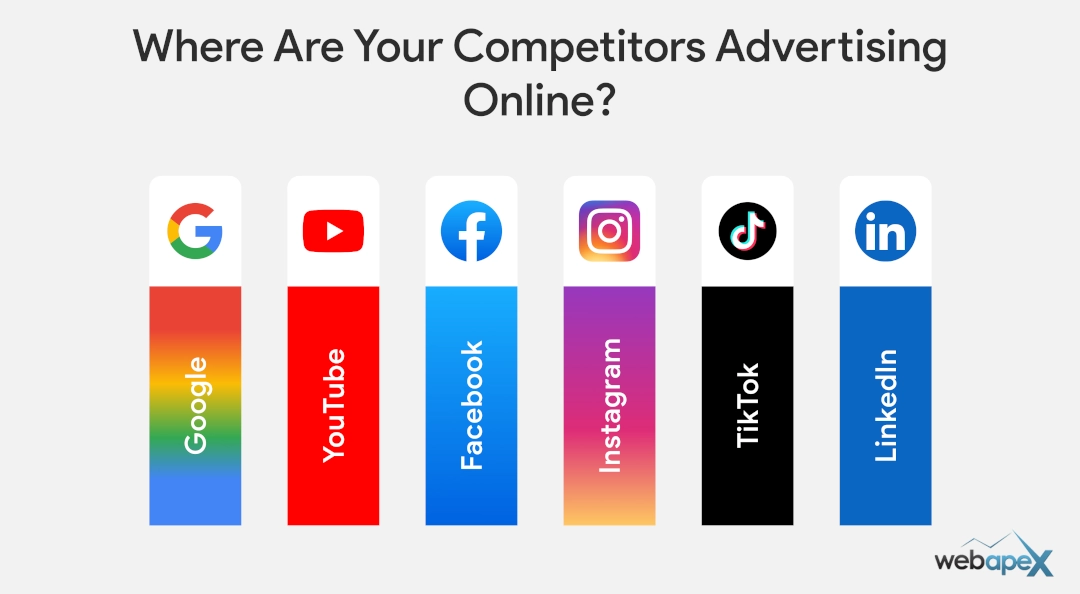
In this guide, you will learn in detail about where your competitors are advertising online and also how to use the findings to your advantage.
Let’s get started.
Table of contents:
- Why Competitor Ad Research Matters
- Where Australian Businesses Actually Spend Their Ad Dollars (2025 Data)
- Steps to Check Where Your Competitors Advertise Online
- Common Mistakes People Make When Checking Competitor Ads
- Don’t Just Check Their Placement – Also Find Their Ad Spend
- How to Use Your Findings to Your Advantage
- Get Expert Help Turning Competitor Insights Into Results
- FAQs
Why Competitor Ad Research Matters
Competitor ad research shows you which channels are already proven in your market, so you stop guessing and spend your budget on learning what already works, instead of paying to learn it yourself.
It gives you a shortcut to four things you’d otherwise have to learn the expensive way.
- Benchmark Your Channel Mix: See which platforms a competitor already runs ads on (You can check if they have been running some ads for long, hinting it might be working – more discussed below), then check that against your own placement or planning to catch the obvious gaps.
- Avoid Wasted Ad Spend: Skip the trial-and-error phase when a channel is already proven to convert in your market.
- Spot Market Gaps: A channel every competitor ignores is often your cheapest win, less competition usually means a lower cost per click.
- Read Buyer Intent: The channels a competitor commits budget to reveal how customers in your market actually research and buy.
Note: Don’t just trust your findings blindly; apply due diligence before applying those learnings to your business.
Where Australian Businesses Actually Spend Their Ad Dollars (2025 Data)
Search and video are not close. Together, they took 73% of the $18.4 billion Australians spent on online ads in 2025, according to the IAB Australia’s Internet Advertising Revenue Report.
| Channel | 2025 AU Spend | Share of Market |
| Search | $8.0B | 44% |
| Video | $5.4B | 29% |
| Classifieds | $2.9B | 16% |
| Display | $2.1B | 11% |
| Audio | $339M | 2% |
Note: Display here excludes video-based social ads, which the report counts under Video, so platforms like Facebook and Instagram sit across both categories.
This is the national baseline. When you check a specific competitor next, expect most of their budget to sit in search or video, not because it’s trendy, but because that’s where the users spend most of their time, and advertising follows the same direction.
Steps to Check Where Your Competitors Advertise Online
The following steps will help you find where exactly your competitors are spending online to run their business.
Step 1: Pick a Competitor
Pick a competitor of a similar size to your business, not the biggest name in your industry. A national player will have a much higher budget, so while you can still learn from them, they won’t make a fair comparison.
Example: If you are a local garden supply store, then compare with similar competition like yours and avoid comparing with big players like Bunnings.
Step 2: Check Their Ad Tags
Ad tags reveal which platforms a competitor has set up to run ads, before you even check if an ad is live. Every platform drops a small piece of tracking code (pixel) onto a site the moment a business connects it.
Most ad platforms have their own browser extension to detect this:
- Google Tag Assistant
- Meta Pixel Helper
- UET Tag Helper (by Microsoft Advertising)
- TikTok Pixel Helper
You can use these tag assistants to find what different platforms they have set up.
Note: A tag only confirms a platform is configured, not that ads are running right now. Treat it as a shortlist of where to check next, not proof they’re actively advertising there.
Step 3: Check Google Ads Transparency Centre
The Google Ads Transparency Centre shows ads of verified advertisers that have run across Google’s network, Search, Shopping, Display, YouTube and Gmail, searchable by domain.
Enter the competitor’s website, and it will show you the ads they are running. Note that Performance Max(PMax) ads may look a bit cluttered, but spend time here, as you will get some valuable insights.
Things to look for:
- Ad Formats Running: Search, Shopping, Display or YouTube tells you which channels they’ve actually committed budget to.
- Number of Active Variations: Several versions of the same ad running at once signal a live testing budget, not a one-off campaign.
- Headline and Copy Angles: The exact wording they’re using to compete for the same customer.
- Landing Pages Linked: Click through to see what offer or page the ad actually drives to.
Step 4: Check Meta Ad Library
Meta Ad Library shows every active ad a business is running across Facebook, Instagram, Messenger and WhatsApp, searched by Page name or domain. Each result lists a “Started running on” date, and that date is the single most useful signal in the whole library.
An ad still live after 30 days is rarely an accident. There’s a good chance it’s working for them.
Note: Meta Ad Library only shows ads that are currently active. A campaign a competitor ran successfully for six months and then paused won’t appear here at all.
Key things to look for in Meta Ads Library:
- Started Running On Date: The longevity signal, the older the ad, the more likely it’s converting.
- Ad Format: Image, video or carousel tells you what’s actually landing with this audience.
- Number of Active Ads: Several concurrent ads suggest a genuine budget, not a single boosted post.
- Platforms Shown: Facebook, Instagram, Messenger or all three tell you where their audience actually is.
Step 5: Check TikTok Creative Centre
TikTok Creative Centre does not allow you to search for a specific competitor by name. Instead, its Top Ads dashboard surfaces top-performing ads by industry and region, useful for seeing what’s working broadly in your category, not for confirming one competitor’s exact activity.
A free TikTok account is required to access it; there’s no open, login-free version like Google’s or Meta’s tools.
Filter by your industry and Australia to see whether businesses like yours are using TikTok at all, and what formats and hooks are getting engagement if they are.
Step 6: Run a Retargeting Test
By checking the ad libraries of different platforms, you will get solid about what they are doing with their advertising.
A retargeting test gives you a real feel for their ads and how aggressively they are pushing them.
Here’s how to do it:
- Visit their website, browse a few key product categories or service pages, and run a couple of related searches.
- Facebook will start showing you their ads within a day or two. You may see similar results from Google Ads on YouTube and other display sites.
- For the best retargeting result, use your normal browser rather than Incognito. Being logged into your usual accounts increases the chance that the ad actually reaches you.
- Visiting their social pages directly can also increase the chances that you will be retargeted with their ads.
Note: If nothing shows up after 48 hours, it doesn’t confirm they’re not retargeting; some campaigns use frequency caps or narrower audiences that may simply skip you. Treat a positive result as strong evidence, and a negative result as inconclusive.
Step 7: Check SEO Ranking Depth & Impact
A competitor bidding on ads while also ranking organically for the same keyword is a stronger, more expensive threat than one running ads alone.
- Search Their Main Keyword: Google the exact term their ad targets and check if they also appear in the organic results below it.
- Get a Daily or Monthly Traffic Estimate: This gives you a baseline for how much organic traffic they’re pulling in, found using a third-party tool like Ahrefs.
- Check Their Top Pages: Knowing which pages bring in the most traffic gives you a clear target to reverse-engineer and compete against.
Paid ads can be switched on overnight. Organic rankings take months, sometimes years, to build, so a competitor holding both tells you they are heavily invested in long-term, not just testing a campaign. Don’t take it lightly.
Step 8: Using Paid Tools (Not a Must)
For most of your research, the free tools above are enough. You may consider a paid tool once you need deeper insights that aren’t available on the free tier, things like historical ad data, estimated spend, or tracking several competitors at once.
You may also consider using a free trial period to see if a paid tool is worth the ongoing cost before committing.
Overall, just focus on using the free tools to find where your competitors are advertising.
Common Mistakes People Make When Checking Competitor Ads
Checking where a competitor advertises is easy. Turning that into something useful is where most people go wrong.
Don’t just get excited by what you see.
Here are some common mistakes while doing competitor research to find where they are advertising:
- Copying Instead of Learning: Copying is easy; innovating is hard. Study and appreciate good work, get inspired by it, then turn that into your own to-do list for building a stronger presence and better ROI.
- Only Checking One Platform: Most competitors run two or three channels, not one. Stopping at the first ad you find gives you a fraction of the real picture.
- Ignoring the Landing Page: A strong ad with a mismatched landing page is a warning sign, not a strategy worth copying. Check their landing page for alignment and find the gaps so you can build a better one.
- Checking Once Instead of Quarterly: Competitor advertising changes with the seasons, offers and budgets. A one-off check only gives you insight into the current situation, not the trend.
Don’t Just Check Their Placement – Also Find Their Ad Spend
Knowing competitors’ ad placement is only part of the story.
Estimating what they’re spending tells you whether it’s worth matching them or whether there is a gap they have left that you can tap into.
How to Find a Competitor’s Google Ads Spend Estimate?
Google doesn’t publish competitor spend directly, but your own Auction Insights report gets you close if you’re already bidding on similar keywords. You can also use other signals to estimate their spend, including third-party tools.
Check out our detailed guide on how to find competitors on Google Ads budget.
How to Find a Competitor’s Facebook Ad Spend Estimate?
Similar to Google Ads, Meta doesn’t disclose spend for standard commercial ads, so any estimate here comes from doing an estimation using various signals that are publicly available.
Check out our guide to estimating a competitor’s Facebook Ads budget.
How to Use Your Findings to Your Advantage
Insights about your competitors’ advertising platforms are only part of the puzzle. The real advantage is turning those insights into action.
Here are some ways you can turn this into action:
- Learn, Don’t Copy: Learn from the gaps you find, and build your ads to target them. You can still get inspired by their creatives if they have done it well.
- Think Beyond the Ad: The real advantage comes when you connect the dots beyond the ad itself, using what you learned to enhance your landing page and conversion journey, too.
- Estimate Their Ad Spend: As discussed above, knowing a competitor’s ad spend estimate alongside their ad presence puts you in a stronger position to plan your own campaign for better outcomes.
- Revisit It Quarterly: Treat this as a recurring check, not a one-off; competitor advertising shifts with the seasons.
Get Expert Help Turning Competitor Insights Into Results
While we have covered most of the techniques here, it’s not always easy for business owners to read these signals and turn them into real, actionable moves that make a difference.
That’s where our team at webapex can help. We can deliver a one-off report with real insights and actionable items that you or your team can implement. We are a full-service agency, so we can implement those strategies for you, too.
Case Study
At the start of 2026, one of our clients, BWFAT, saw its cost per conversion rising on Google Ads. We carried out a detailed analysis to find where else they could compete for the same customer.
We found the gap to diversify and build presence on Facebook and Instagram. We moved in with highly creative, tightly targeted ads.
The result: cost per conversion dropped by more than 50%. Not by cutting spend, but by finding where their audience already was, away from an increasingly expensive auction.
A detailed case study coming soon.
FAQs
Is it legal to look at my competitors' ads?
Yes. Every method in this guide, the Google Ads Transparency Centre, Meta Ad Library, and TikTok Creative Centre, exists precisely because platforms publish this information publicly. You will be using publicly available tools, and it’s normal to use those tools.
What's the best free tool to see where a competitor is advertising?
Start with the Google Ads Transparency Centre for search, Shopping, Display and YouTube, and the Meta Ad Library for Facebook and Instagram. Between the two, you will cover the platforms that carried 73% of Australia's online ad spend in 2025.
Can I find out how much a competitor spends on Google Ads?
Not exactly, but you can get a directional estimate using Auction Insights and Keyword Planner, covered in detail in our guide to checking a competitor's Google Ads budget.
How do I check if a competitor is running Facebook or Instagram ads?
Search their website URL in the Meta Ad Library. If ads are active, you'll see the creative, format, and the date each one started running, which also tells you how long it's been live.
How often should I check my competitors' ads?
Quarterly is enough for most businesses. Competitor advertising changes with the seasons, offers and budgets, so a one-off check only tells you what was true at that moment, not what's changing.
Do I need a paid tool to research competitor ads?
Not necessarily. The free tools covered in this guide, Google's Transparency Centre, Meta Ad Library, and Auction Insights, are enough for most businesses. Paid tools may provide you with some advanced analytics. In most cases, you don’t need paid tools.

